Features
What Yam does, one feature at a time, with the command that runs it.
Write tests in sentences
A flow is a text file. You write what you want, not how to find it.
story (tags=smoke): Sign in
inputs: username: string, password: secret
  Go to "/login"
  Type {input.username} into the username field
  Type {input.password} into the password field
  Click the sign in button
  The dashboard heading should be visible

test: Sign in
story is a named piece of behaviour. inputs says what it needs.
test: Sign in says to run it as a pass or fail check.
Sentences are compiled, not guessed at run time. yam check turns them into a
typed plan and tells you about anything it could not read.
Every sentence pattern is listed in the flow language reference.
Record once, replay for ever
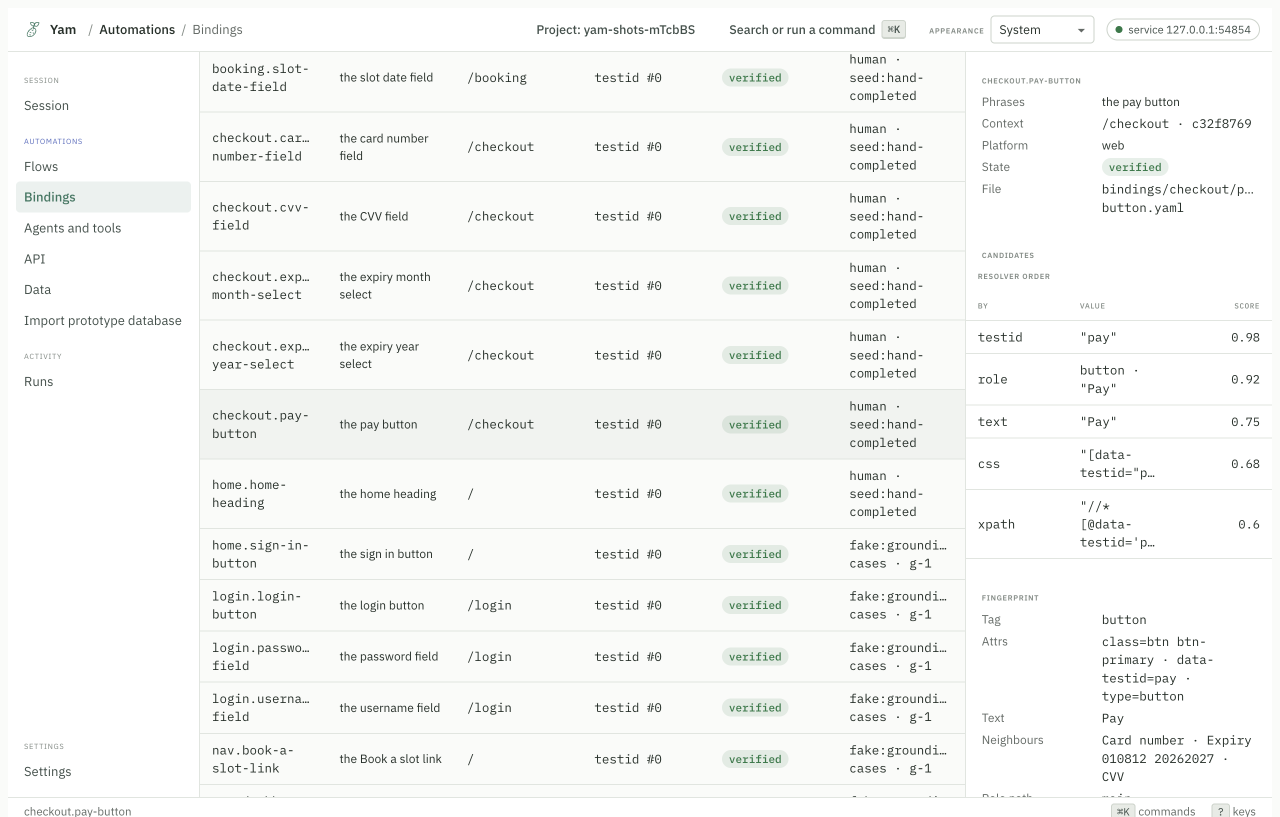
yam record opens the real app and watches you. When you click a button, Yam
writes down five ways to find it again.
yam record --flow flows/first.flow
A binding file looks like this. You can read it and review it in a pull request.
entries:
  - candidates:
      - by: "testid"
        attribute: "data-testid"
        value: "home-heading"
        score: 0.98
      - by: "role"
        role: "heading"
        name: "Deterministic automation, once described"
        score: 0.92
      - by: "text"
        value: "Deterministic automation, once described"
        score: 0.75
yam run replays the plan and reads those files. No model runs.
Heal when the page changes
A front end changes. A button moves, a label is reworded, a class is renamed. The usual result is a red test that was never really broken.
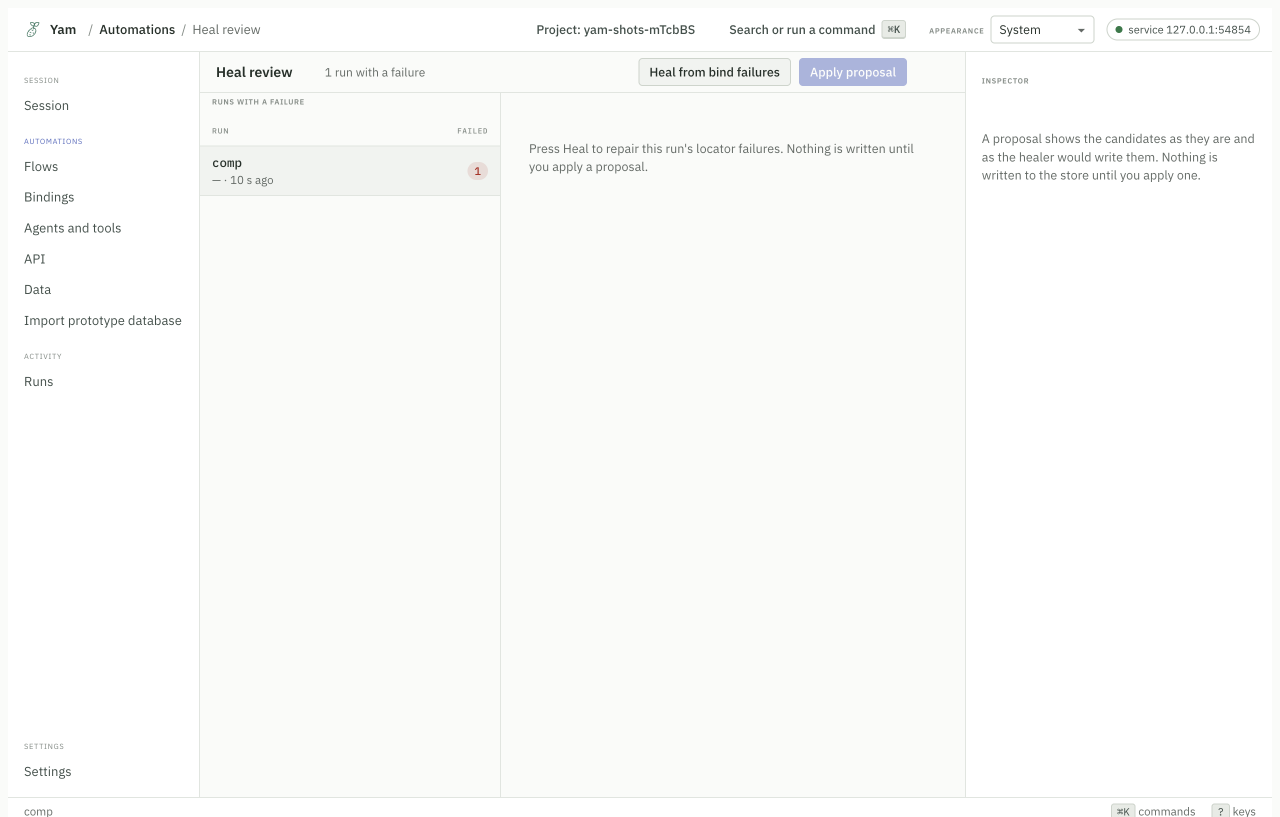
Yam saves a fingerprint of each element when it records. When the saved ways to find it all stop working, Yam looks for the element that matches the fingerprint best.
yam heal
Two rules keep this honest:
- A healed run is marked
healed, neverpassed. You always know. - Yam shows you the repair before it writes it. Nothing is written until you apply it.
Measured over twenty deliberate interface changes: 92.3% of degraded bindings
were found again, 0 were repaired onto the wrong element, and no model was
called. The method is in reports/eval-healing.md.
See why a run failed
When a step fails, Yam does not just say "element not found". It lists every way it tried, in order, and how many things each one matched.
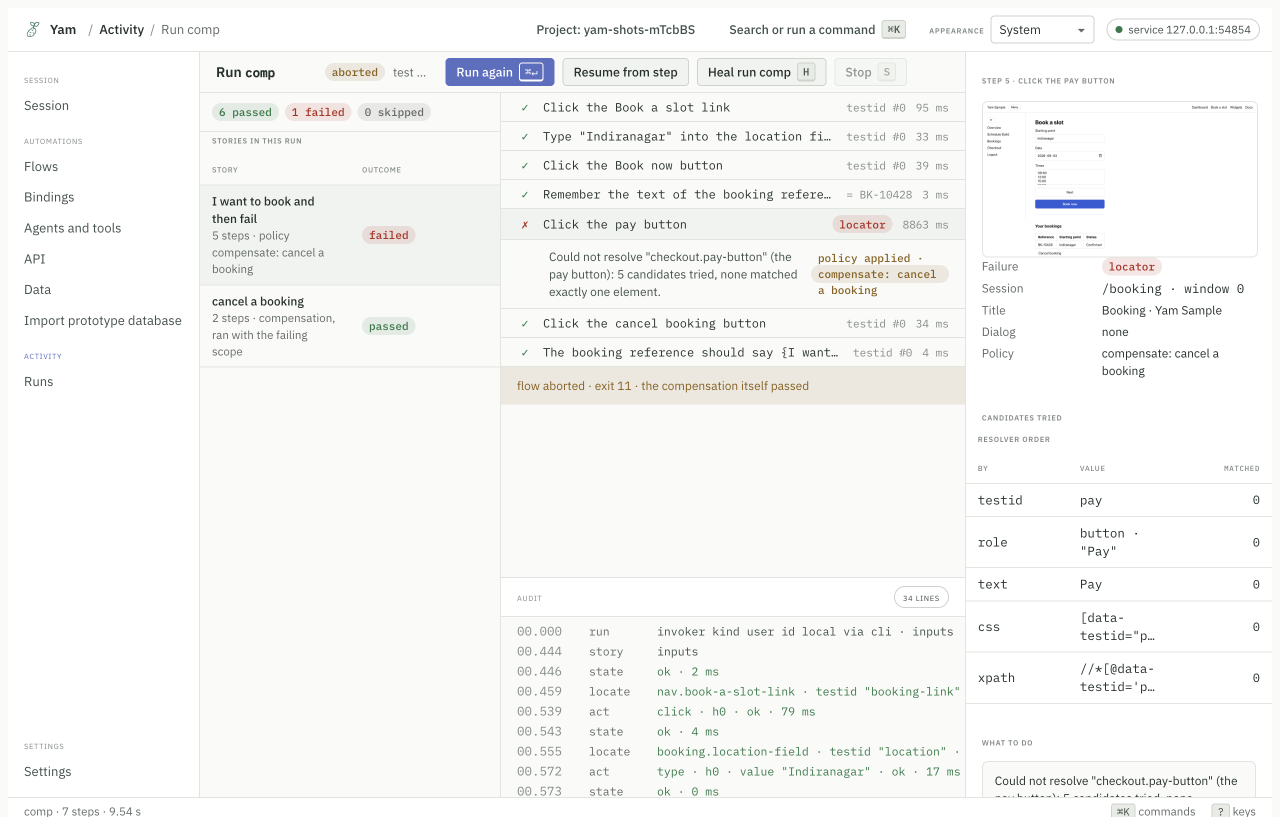
The screenshot on the right is the moment it failed. The audit log at the bottom is every action with its timing. The table on the right is the resolver order.
Drive more than browsers
Yam speaks to each kind of target through an adapter. The same sentences work across them.
| Target | Adapter |
|---|---|
| Web pages | playwright, or bidi for a browser you already have open |
| macOS apps | ax |
| Windows apps | uia |
| Linux apps | atspi |
| Phones and tablets | appium |
| HTTP APIs | http |
| Terminal programs | process |
How far each has been driven is measured in the support matrix, not claimed here. Check it before you depend on one.
yam surface connect --url https://example.com
yam surface connect --app "Calculator" --adapter ax
yam surface connect --url http://localhost:3000/api --adapter http
One plan, three ways to run it
You compile once. You choose how to run it.
As a test. Pass or fail, with an exit code CI understands.
yam run
As a workflow. A function with inputs, outputs, guards and checkpoints. If it stops halfway, you can resume from the last checkpoint.
yam workflow run --story "Sign in" --input username=me@example.com
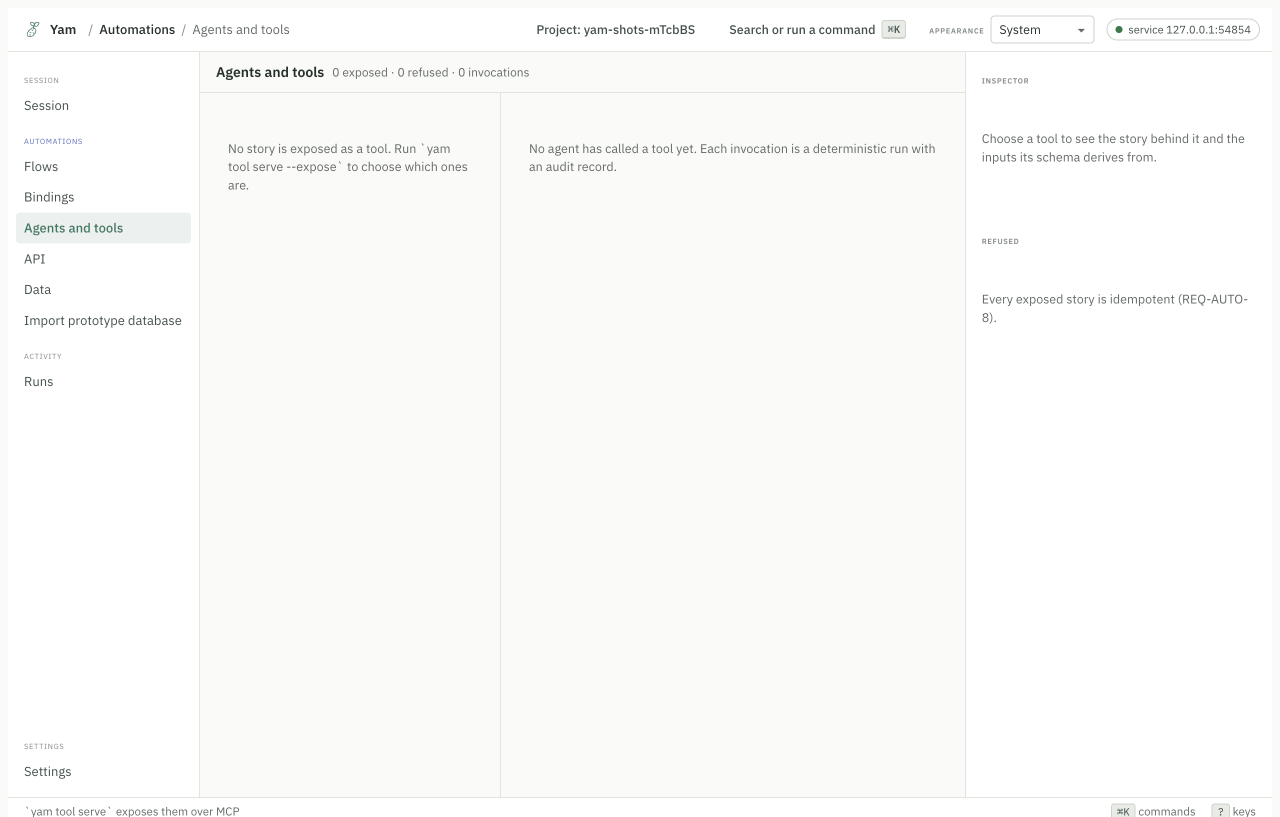
As a tool for an agent. The story becomes an MCP tool. The agent calls it and gets typed outputs back.
yam tool serve --expose "Sign in"
Read One plan, three ways.
Work with AI agents
Yam ships an MCP server. An agent gets the same engine you use.
{ "mcpServers": { "yam": { "command": "npx", "args": ["-y", "@svatah/yam-mcp"] } } }
The agent gets tools to connect, look, act, read and check. With a project open it also gets compile, lint, run, record and heal.
You and the agent share one session. If the agent opens a browser, it appears in your app, and you can take control back with one click.
Read Yam and MCP.
Let an agent write the first draft
yam explore gives an agent the surface tools and records everything it does.
When the agent disconnects, Yam compiles what it did into a proposal for you to
review.
yam explore --name "Sign in"
Nothing is written to your flows until you accept the proposal.
Two interfaces, one model
The terminal cockpit and the desktop app show the same screens, because they read the same screen model. Anything you can do in one, you can do in the other.
yam ui              # the cockpit
yam ui --tmux       # the cockpit, a shell, the run's events and your editor
Guards, compensation and checkpoints
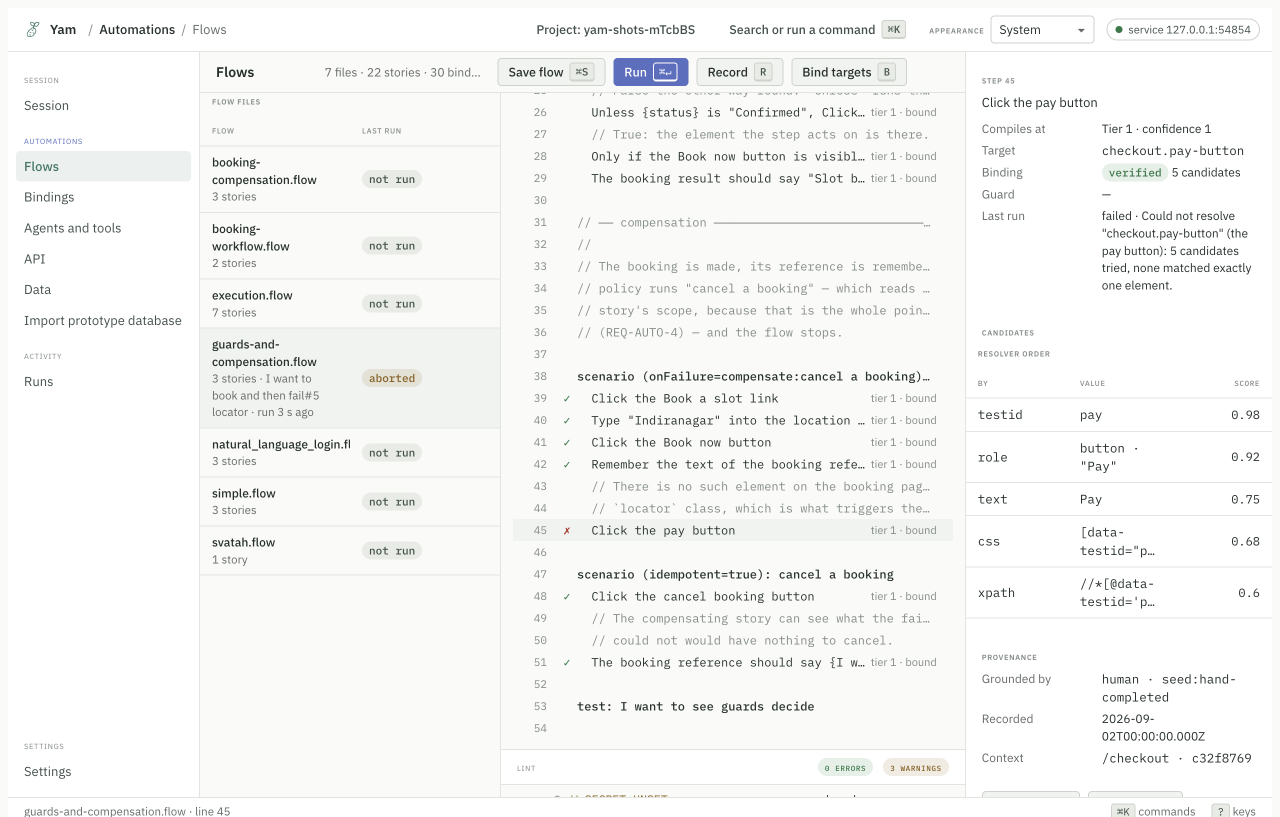
A story can say what to do when something goes wrong.
- Guards check a condition before a step runs.
- Compensation runs a cleanup story when a flow aborts. If a booking half-completes, the compensating story cancels it.
- Checkpoints save progress so a long workflow can resume instead of starting over.
The run screen shows which policy applied and whether the compensation itself passed.
An audit log you can read
Every run writes a line per action with timings, the resolver decision, and the outcome.
00.000  run     invoker kind user id local via cli · inputs
00.459  locate  nav.book-a-slot-link · testid "booking-link"
00.539  act     click · h0 · ok · 79 ms
00.555  locate  booking.location-field · testid "location"
00.572  act     type · h0 · value "Indiranagar" · ok · 17 ms
Secrets are redacted. The log is a file under runs/, so you can diff two runs.
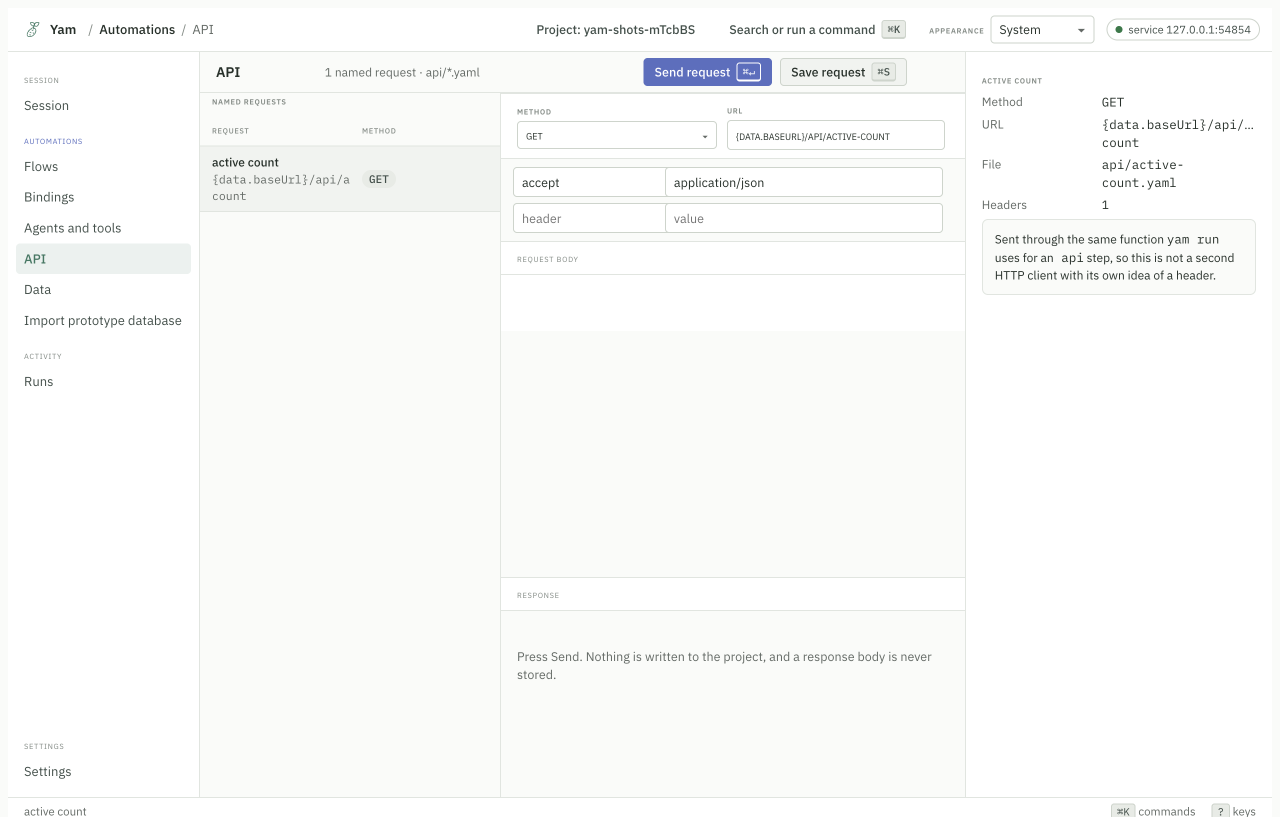
Test HTTP APIs too
Saved requests live in api/. They run the same way stories do, and they can
share data with them.
Bring old tests with you
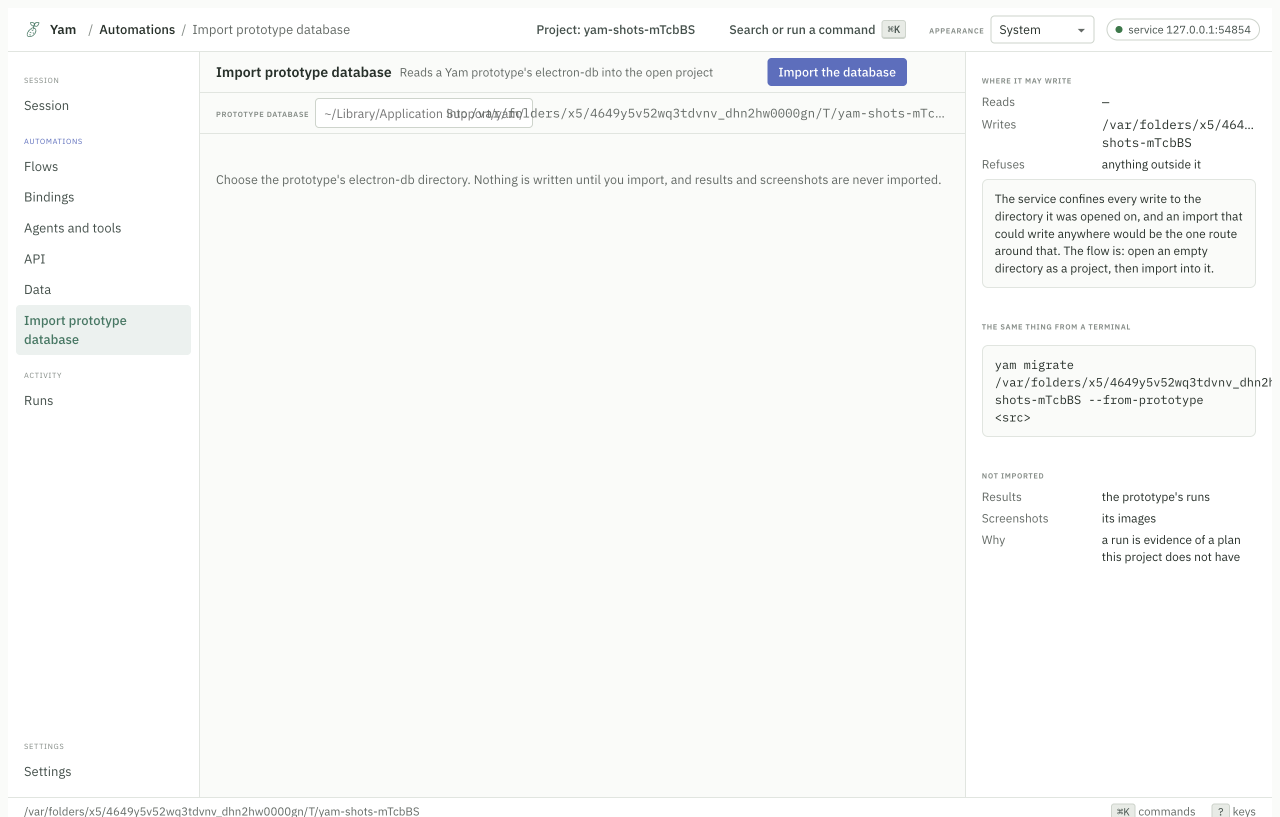
yam migrate converts v1 and v2 flows, and prototype databases, into v3.
yam migrate <path>
Anything it cannot map is reported rather than guessed, and the exit code says so.
Use it from other languages
The local service publishes an OpenAPI document. Python and Java clients are generated from it, so they cannot drift from the service.
yam serve --project .
Read the HTTP API reference.
What it does not do
Worth knowing before you start.
- It does not decide what to test. You write the stories.
- It does not run a model during replay. That is the point, but it means a brand new element with no binding needs a record pass.
- It does not schedule or orchestrate. Use cron, CI, or a workflow engine. There are examples for cron and CI.